> ## Documentation Index
> Fetch the complete documentation index at: https://docs.atomicnetworks.co/llms.txt
> Use this file to discover all available pages before exploring further.
# How to Change Rust Server Seed
> Learn how to change the seed on your Rust server with this easy to follow guide.
**Last Updated: 3/14/24**
If you already have a map generated on your server, you will need to reset it before you can follow the steps in this tutorial. You can reset your map by following our guide on [how to wipe a Rust server](how-to-wipe-rust-server).
To change the seed on your Rust server with an Atomic Networks Rust Hosting service:
Click [here](https://panel.atomicnetworks.co/login) to navigate to Atomic Panel. You can log in using your account credentials that you received following checkout. The credentials email is sent to the email address on file in the Billing Panel.
If you're not a current Atomic Networks client, [get started on a Rust server](https://atomicnetworks.co/rust-server-hosting) in less than half an hour. If you're already hosting with another Rust service, see [how we offer way more for way less.](https://atomicnetworks.co/rust-server-hosting)
In order to change the world map seed, you will need to stop your server.
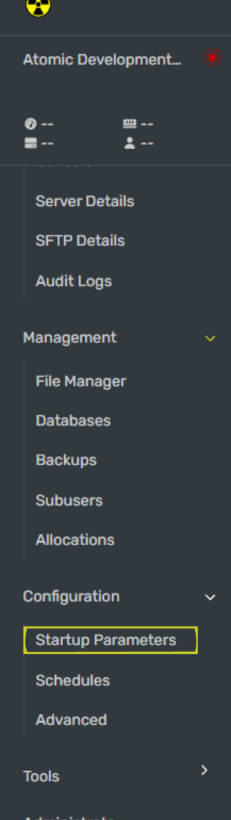 1. Go to `http://playrust.io/gallery/`
2. Find a map you would like to add to your server.
3. Copy the SeedID.
Once you have pasted your world seed, restart your Rust server for the map to be updated.
Now your rust server's map is updated!
Still having issues? Contact our support at [https://billing.atomicnetworks.co/submitticket.php](https://billing.atomicnetworks.co/submitticket.php)
1. Go to `http://playrust.io/gallery/`
2. Find a map you would like to add to your server.
3. Copy the SeedID.
Once you have pasted your world seed, restart your Rust server for the map to be updated.
Now your rust server's map is updated!
Still having issues? Contact our support at [https://billing.atomicnetworks.co/submitticket.php](https://billing.atomicnetworks.co/submitticket.php)