> ## Documentation Index
> Fetch the complete documentation index at: https://docs.atomicnetworks.co/llms.txt
> Use this file to discover all available pages before exploring further.
# How to Enable Hardcore Mode - Rust
> Learn about how to change your Rust server to hardcore mode with this easy to follow guide.
**Last Updated 3/16/24**
Rust's Hardcore Mode is a game mode designed to offer a more challenging and intense experience for veteran players of the game. This mode has significant changes to increase the difficulty level and encourage a more survival-focused gameplay style.
Notable Features:
* Team System is Disabled
* Safe Zones are Removed
* Map/Compass is Disabled
* No Global Chat
To enable hardcore mode on your Rust server:
Click [here](https://panel.atomicnetworks.co/login) to navigate to Atomic Panel. You can log in using your account credentials that you received following checkout. The credentials email is sent to the email address on file in the Billing Panel.
If you're not a current Atomic Networks client, [get started on a Rust server](https://atomicnetworks.co/rust-server-hosting) in less than half an hour. If you're already hosting with another Rust service, see [how we offer way more for way less.](https://atomicnetworks.co/rust-server-hosting)
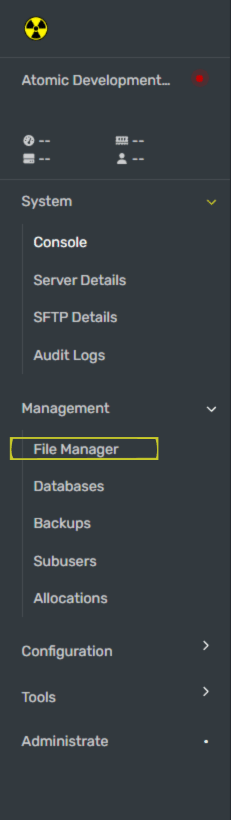 Navigate to the pathway `/home/container/server/rust/cfg/serverauto.cfg`
Add a line to this file called `gamemode.set hardcore` to your serverauto.cfg file.
Once you have enabled hardcore mode, restart your Rust server for the gamemode to be updated.
Congratulations! You have just enabled hardcore mode!
Still having issues? Contact our support at [https://billing.atomicnetworks.co/submitticket.php](https://billing.atomicnetworks.co/submitticket.php)
Navigate to the pathway `/home/container/server/rust/cfg/serverauto.cfg`
Add a line to this file called `gamemode.set hardcore` to your serverauto.cfg file.
Once you have enabled hardcore mode, restart your Rust server for the gamemode to be updated.
Congratulations! You have just enabled hardcore mode!
Still having issues? Contact our support at [https://billing.atomicnetworks.co/submitticket.php](https://billing.atomicnetworks.co/submitticket.php)